Essential Minecraft Server Settings for Your First World
Configure gameplay properties, player limits, automatic stop and security once, and your Indian friend group or Discord server stays in sync without repeated support questions.
Choose Software and Version Before Anything Else
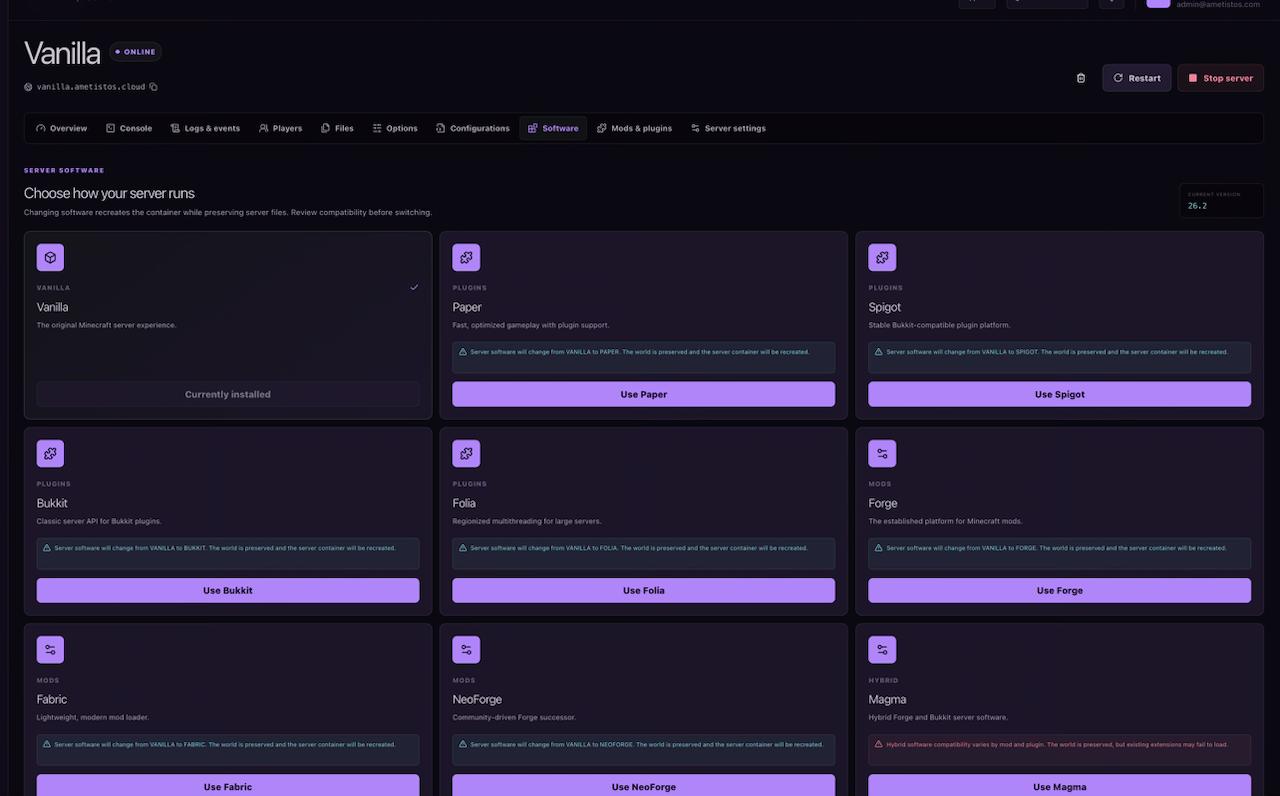
Match the Minecraft version to what your players already have installed — this is the single most common cause of "can't connect" reports in a group chat. Vanilla follows the official game, Paper and related software support plugins, while Fabric and Forge support the modpacks popular in Indian modded-Minecraft communities.
Changing software or downgrading Minecraft can make an existing world incompatible. Read the warning in the panel and download important files before confirming a reset.
Configure Gameplay Properties
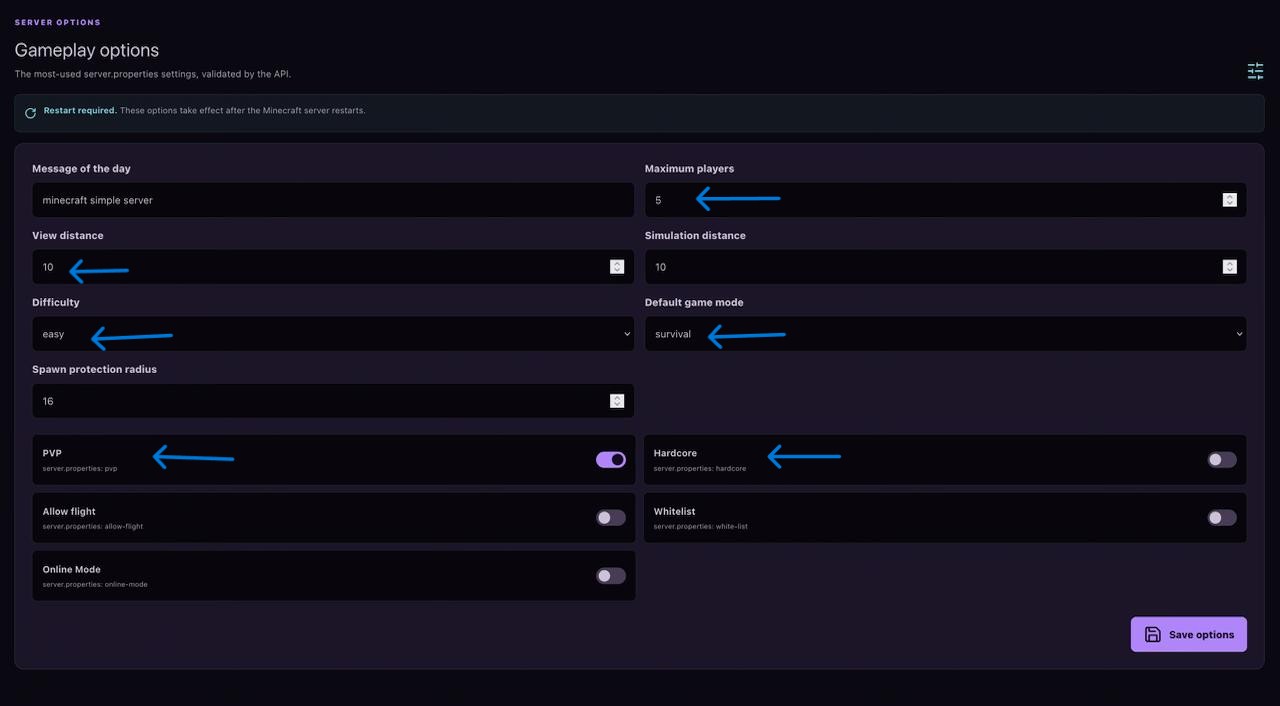
Open Optionsfor the common server.propertiessettings: message of the day,
maximum players, view distance, simulation distance, default game mode, difficulty, spawn protection, PVP
and whitelist. Most changes apply after a restart.
RAM, CPU and Credit Usage
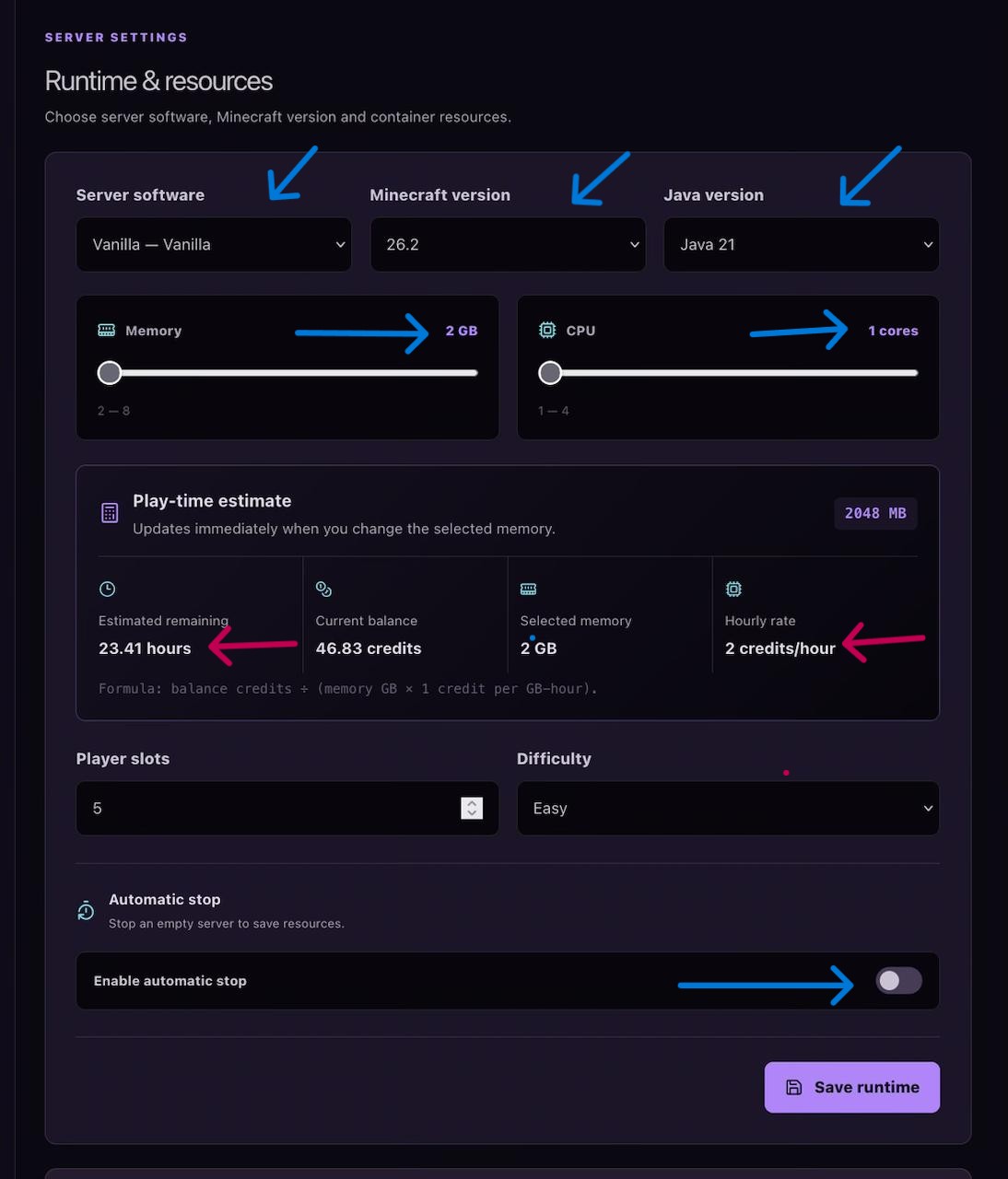
The free server suits smaller groups and casual worlds — no card needed to try it. Higher resource configurations use credits only while running, at 1 credit per configured GB of RAM per running hour, so a weekend gaming session costs far less than a fixed monthly plan.
Turn On Automatic Stop
Automatic stop shuts an empty server down after a timeout you choose, which matters most for boosted servers since the credit calculation is based on running hours, not a fixed monthly rate.
Protect Access and Data
- Use the whitelist for private servers and grant OP only to trusted players.
- Invite collaborators through Access instead of sharing your account password.
- Give console, file, settings and control permissions only when needed.
- Download important worlds and files before resets or software changes.
- Automatic backups are planned after the MVP and are not an alpha feature yet.