Minecraft Server Dashboard Guide for India
A tour of the Ametistos control panel: server status, resource usage, console output, files, gameplay options, software and lifecycle controls — everything a group admin needs from one browser tab.
Open a Server from Your Dashboard
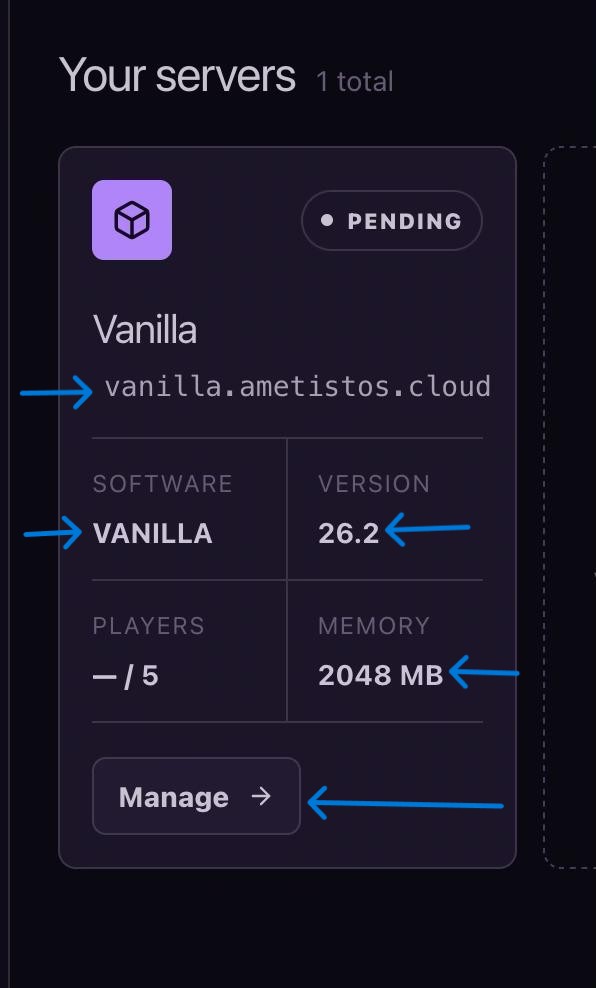
- Open Your servers.
- Review the address, status, software, version, players, and memory on the server card.
- Select Manageto open the complete server workspace.
Start, Stop, Restart and Delete
- Startlaunches an offline server and updates its status when Minecraft is ready.
- Stopsaves the world and shuts down the container — do this to save credits.
- Restartsafely applies software, plugin, mod or property changes.
- Deletepermanently removes the server after confirmation and cannot be reversed.
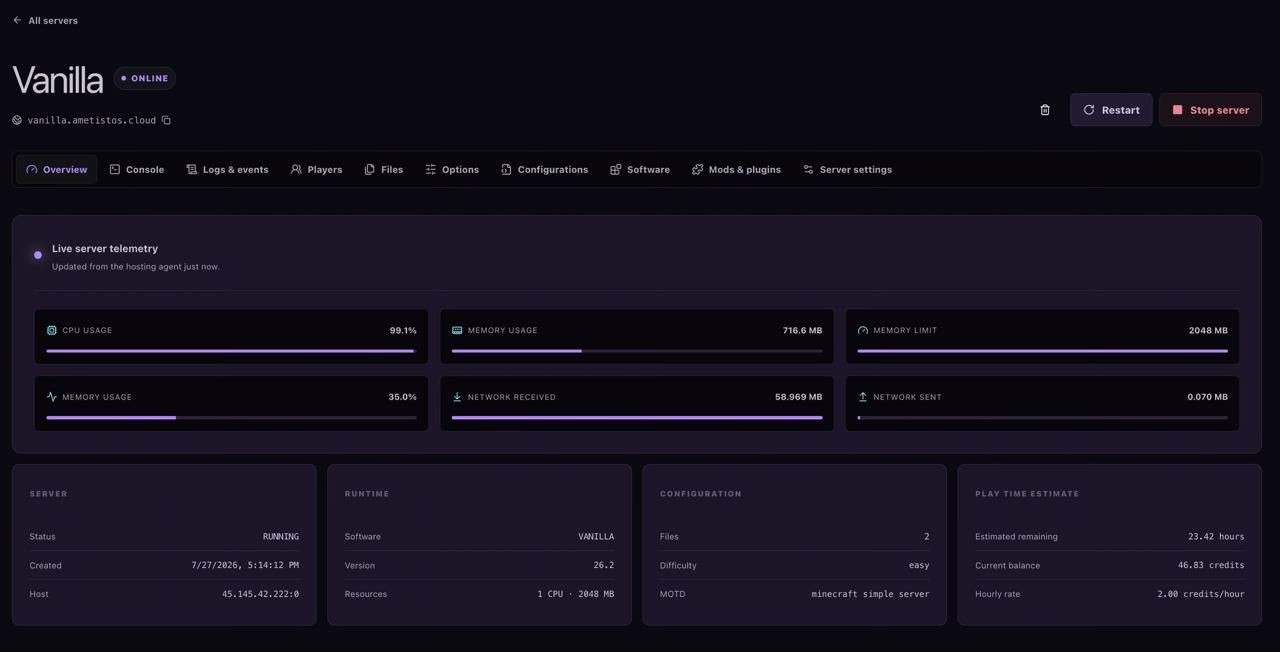
Monitor Live Resource Consumption
Overview shows CPU, memory, network and storage activity only while the server is online. Compare current memory usage with the configured limit before increasing RAM.
Use Console, Logs and Commands
Console streams Minecraft output in real time and accepts administrative commands. Wait for the "Done" message during startup, and use Logs & events for historical diagnostics.
Manage Server Files from the Browser
- Open Files; the current folder loads automatically.
- Select a folder to fetch its contents.
- Upload ZIP, JAR, JSON, properties, YAML, or YML files and follow the progress percentage.
- Download data before deleting it, since file deletion cannot be undone.
Configure Software, Options and Resources
- Optionscontains common server.properties settings.
- Softwarechanges the Minecraft platform or version with compatibility warnings.
- Mods & pluginssearches compatible projects.
- Server settingscontrols Java, RAM, CPU, slots, difficulty and automatic stop.
Continue with the server settings guideor the Paper plugin guide.