Install Plugins on a Paper Minecraft Server (India Guide)
Find a compatible plugin, install it from the Ametistos catalog and restart your Paper server safely — no FTP client or SSH access required.
Before You Start
- A server using Paper or another plugin-compatible software type.
- A plugin build compatible with the selected Minecraft and Paper versions.
- Permission to manage software, extensions and server restarts.
Find a Compatible Plugin
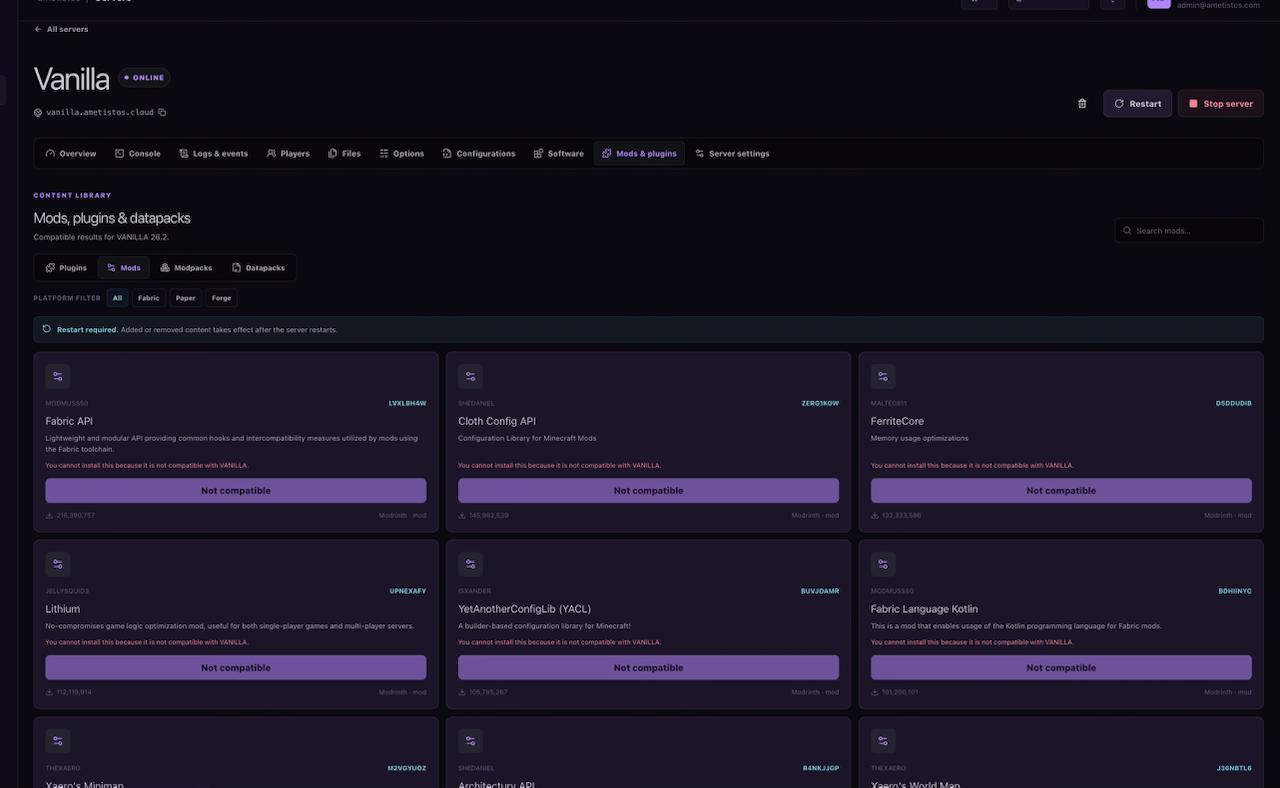
Open Mods & plugins, select Plugins and filter the catalog for the active server platform and Minecraft version. Review the project description, supported versions and dependencies before installation. A plugin published only for another version can stop the server from loading.
Install and Restart
- Select the plugin and review the compatibility notice.
- Confirm installation and wait for the server files to update.
- Restart the server when the panel shows "Restart required."
- Watch the live console for the plugin name and an enabled message.
Upload a Plugin File Manually
When a catalog project is unavailable, download the plugin JAR from the developer's official project page,
upload it into the pluginsdirectory through the file manager in your browser, then restart
Paper. Do not upload client-only mods or plugins from unverified mirrors.
If the Plugin Will Not Load
- Confirm the server is Paper-compatible rather than Vanilla or a mod-only loader.
- Check the Minecraft version and required plugin dependencies.
- Read the first relevant error in Console or Logs instead of only the final shutdown line.
- Remove the new plugin and restart to confirm whether it caused the failure.