Install a Modrinth Modpack on Your Minecraft Server
Modded Minecraft packs like Cobblemon are hugely popular in Indian Minecraft communities. Install one from the Ametistos catalog by matching its Minecraft version, mod loader, Java version and memory requirements.
Check the Modpack Requirements First
- Open the modpack page on Modrinth and note its supported Minecraft versions.
- Check whether the pack requires Fabric, Forge, or NeoForge.
- Review the recommended Java version and server RAM.
- Confirm every player will install the matching client-side modpack version.
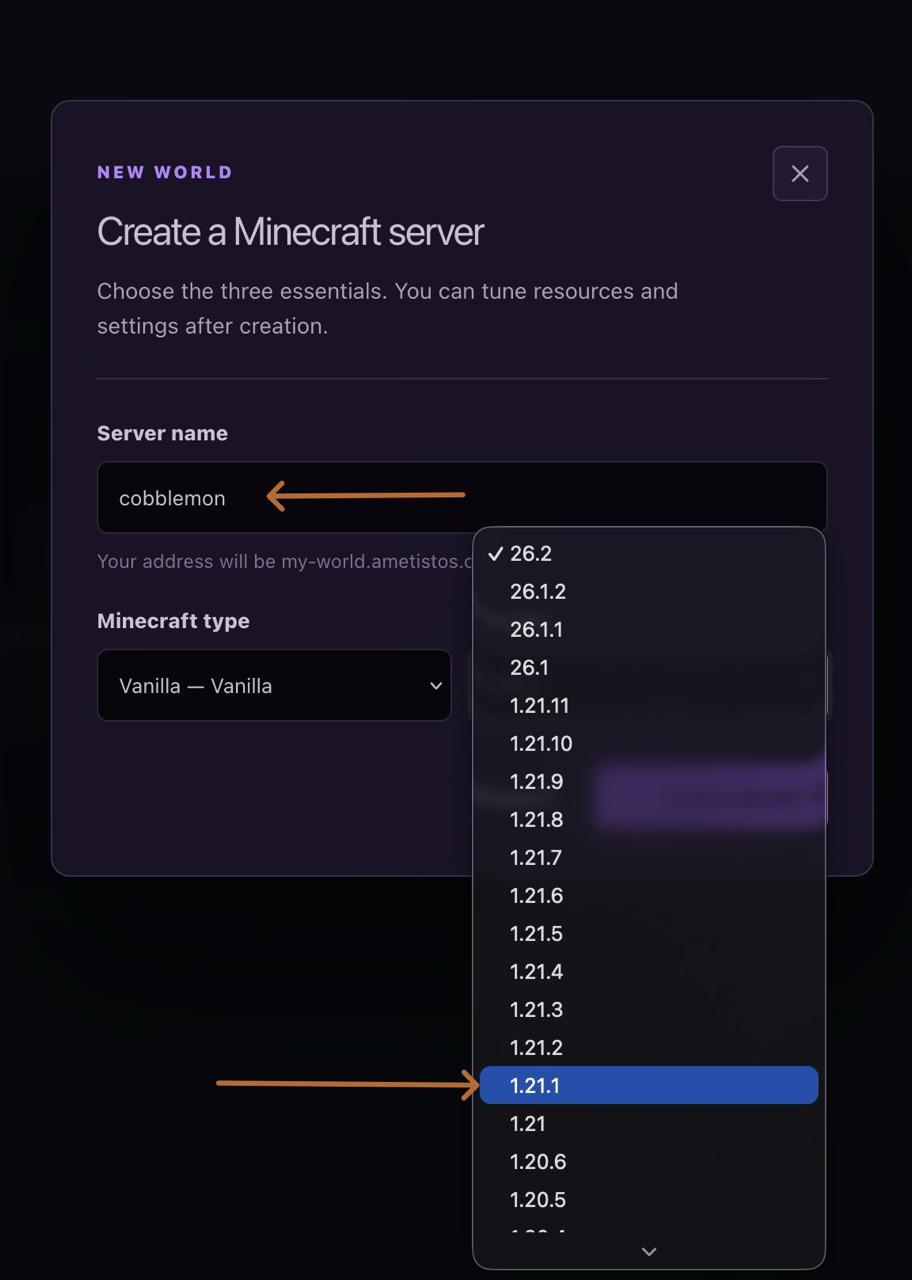
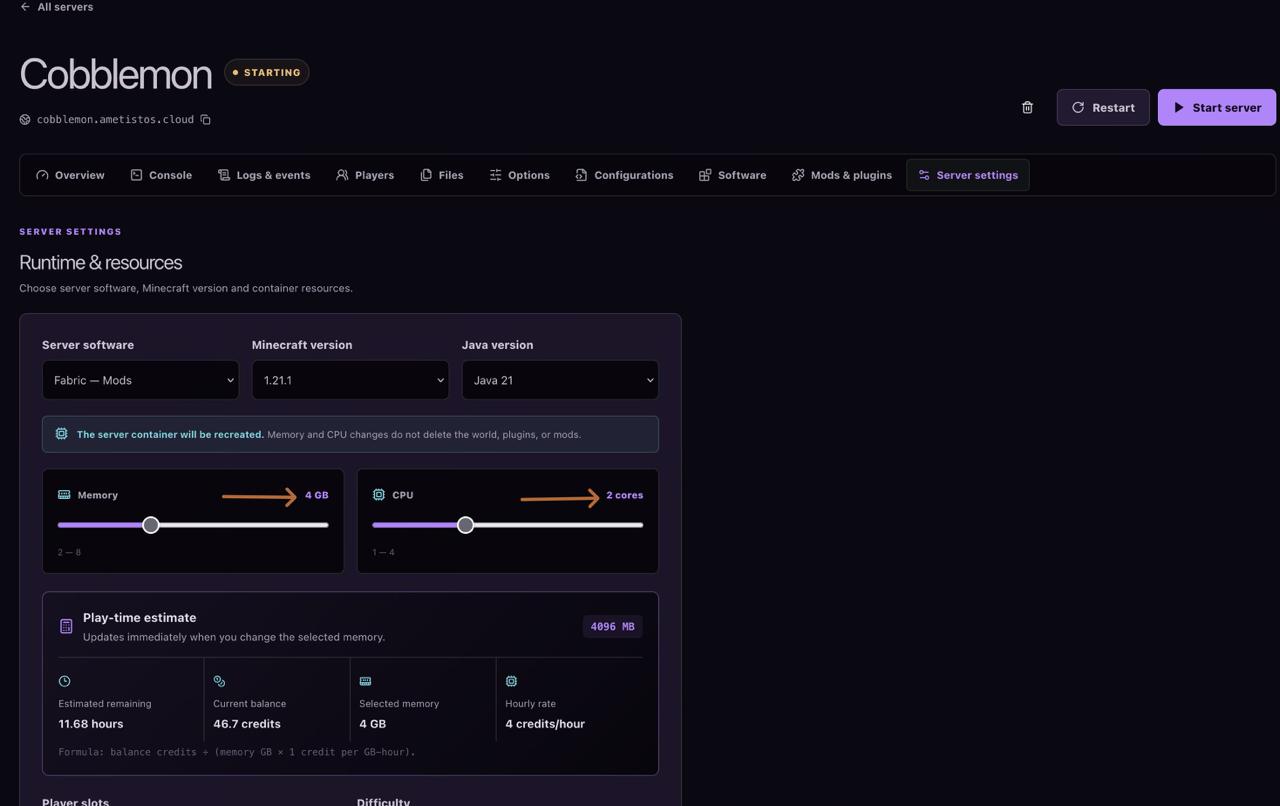
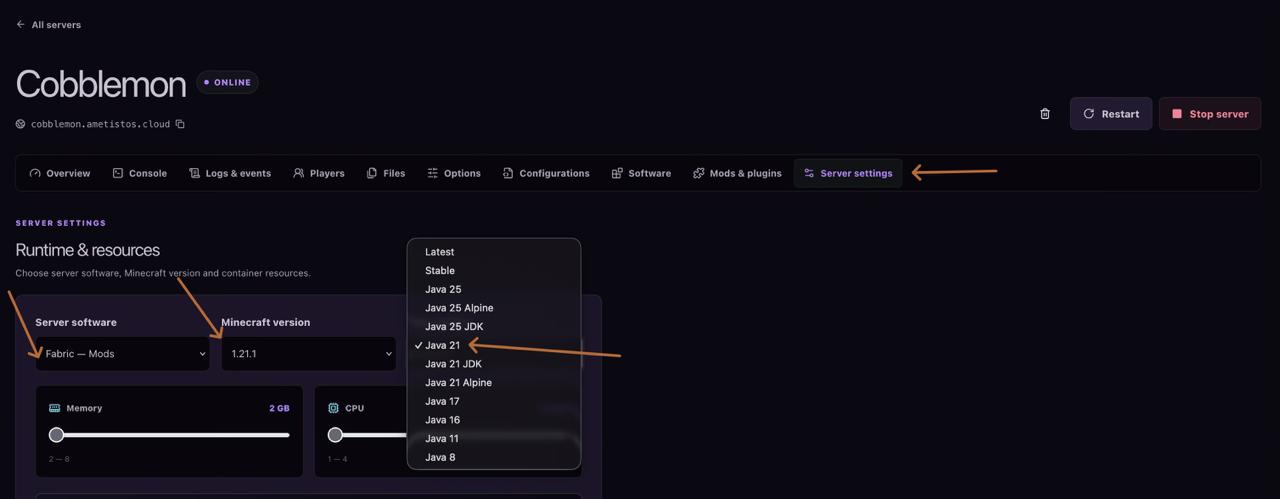
The Fabric 1.21.1, Java 21, 4 GB RAM, and 2 CPU values shown below are Cobblemon examples. Use the requirements published for your chosen modpack.
Create a Server with the Correct Minecraft Version
Create a new server, choose a clear name, and select the exact Minecraft release supported by the modpack. A server and client using different versions will usually fail to connect.
Select the Matching Mod Loader
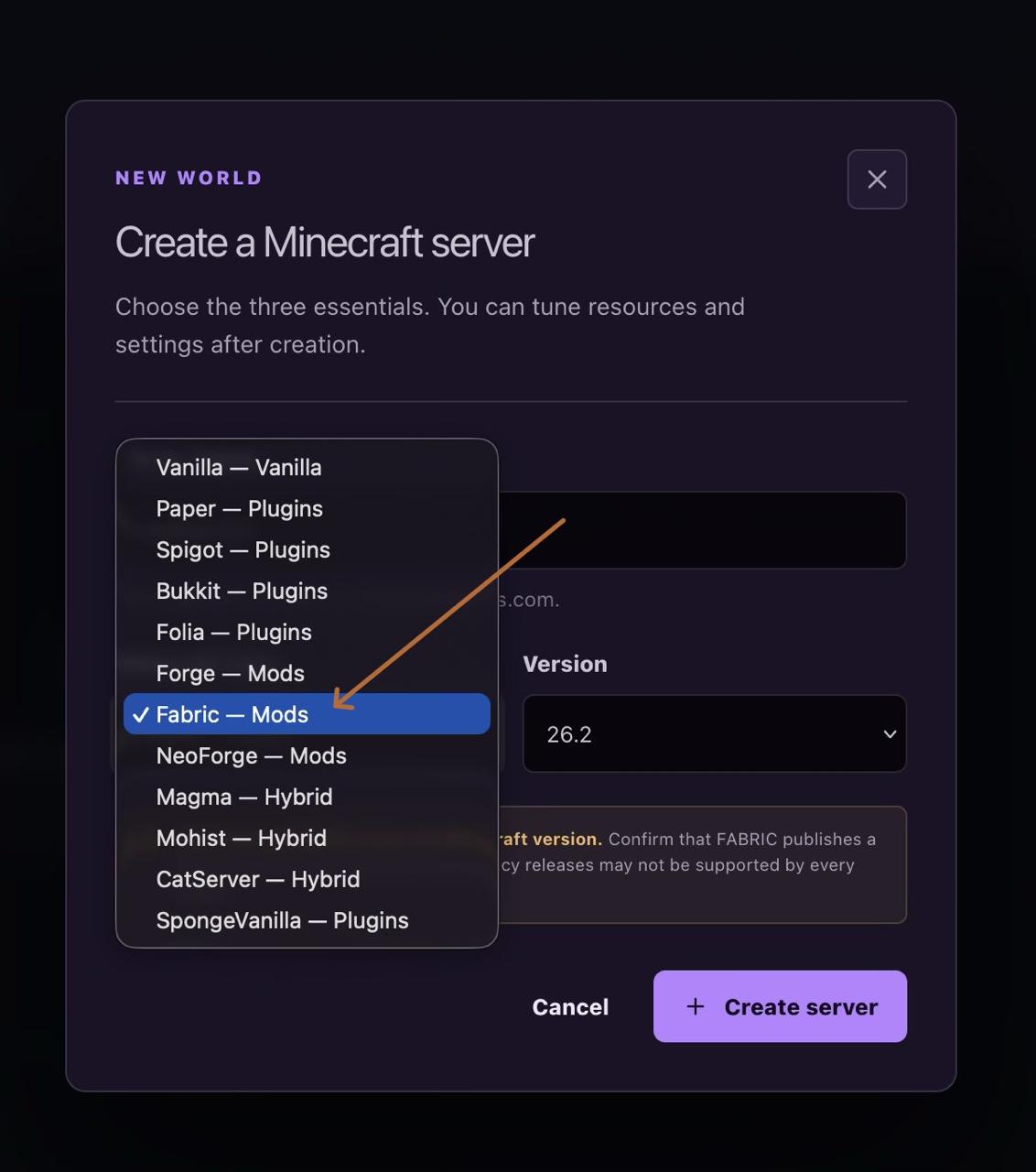
Choose the platform required by the pack. Do not select Fabric for a Forge build, or Forge for a NeoForge build, even when the Minecraft version is the same.
Allocate RAM and CPU, Then Watch Credit Cost
Open Server settingsbefore installation and increase resources when the modpack requires them. More configured RAM uses credits faster — the panel updates the estimated playtime before you save, so there are no surprises later.
Select a Compatible Java Version
Choose the Java runtime required by the Minecraft and modpack release. If the project documentation does not state a version, check the loader documentation before starting the server.
Find and Install the Modpack
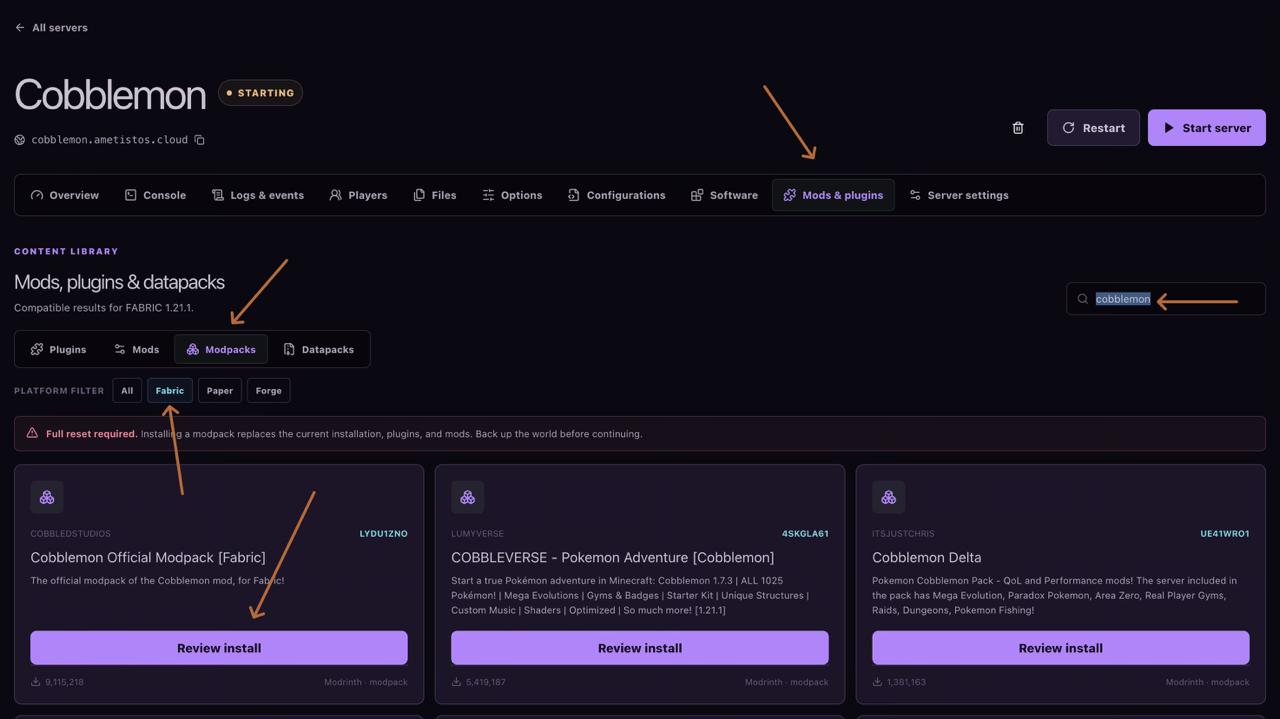
- Open Mods & plugins.
- Select Modpacksand the required platform filter.
- Search for the project name.
- Select Review installon the correct result.
- Verify the project, loader, and Minecraft version one more time.
Confirm the Required Full Reset
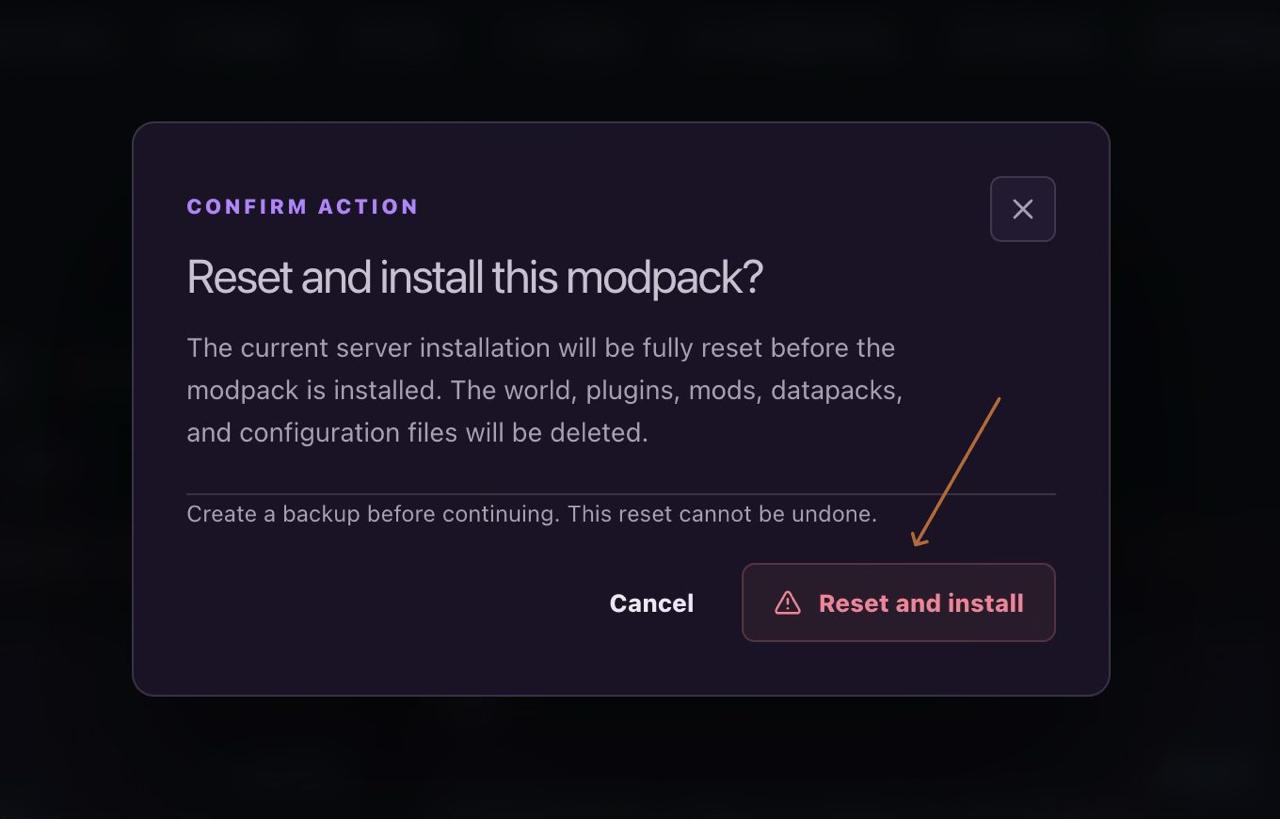
Installing a modpack replaces the current installation — world, plugins, mods, datapacks and configuration files are deleted. Download anything you need before continuing.
Confirm the Server Is Online
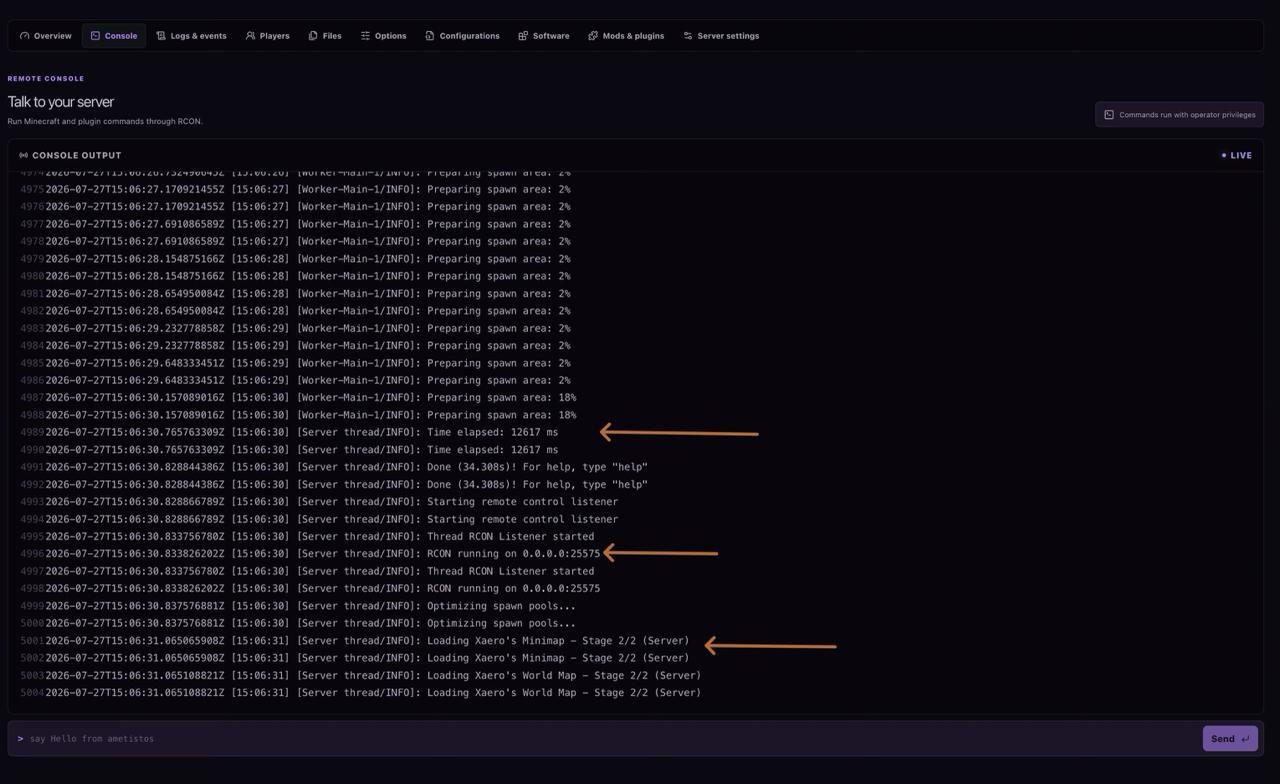
Wait for startup completion and the RCON listener, then connect with a client using the identical modpack release. If startup fails, read the first relevant console error and recheck loader, version, Java, memory and dependencies.